Parts Inventory

Primus Parts Inventory is a powerful component of the Primus dealership management system, built specifically for equipment dealerships. It gives equipment dealers a single, centralized solution to manage parts stock, pricing, usage history, and availability with confidence.

View detailed information within each part record or create custom list views tailored to how your parts department operates. With built-in reporting inside this equipment dealership management system, every key metric is available in one place eliminating the need for disconnected spreadsheets or separate reports.

Physical inventory counts are faster and more accurate with a streamlined process that lets equipment dealers enter data once and move on to the next task, keeping parts departments efficient and inventory under control.
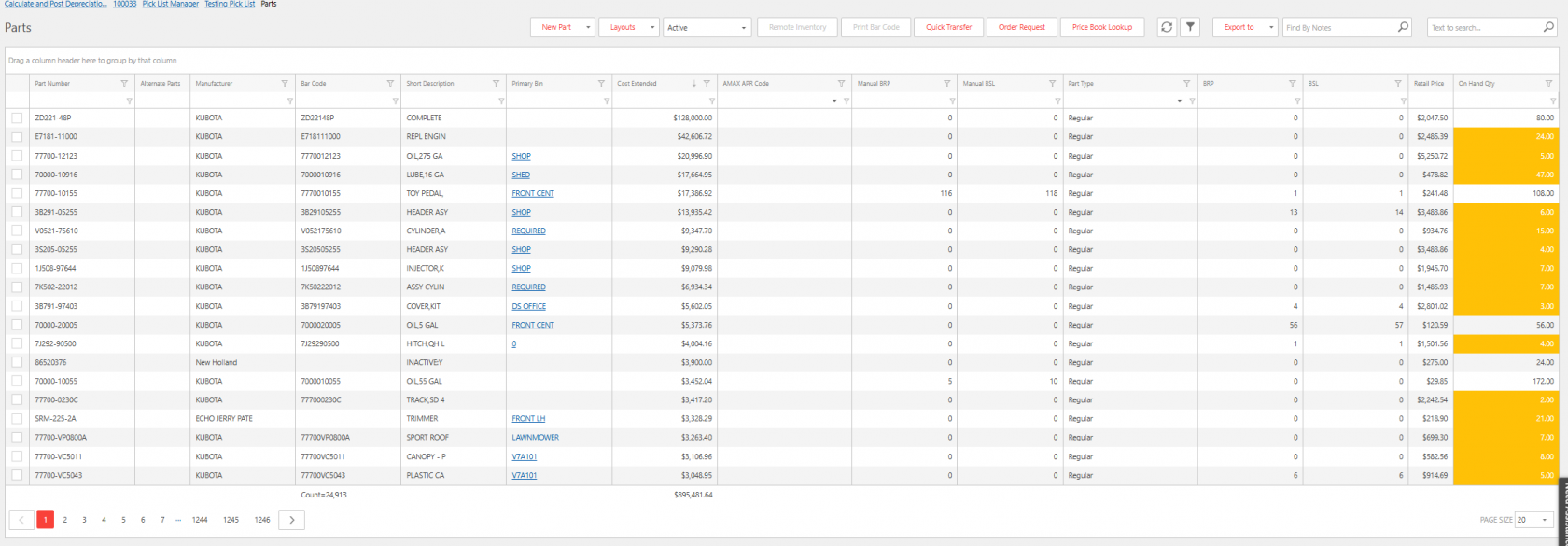
Screenshot of a parts management system showing a detailed table of parts inventory. Columns include part number, alternate parts, manufacturer, bar code, short description, inventory bin, cost extended, codes, part type, retail price, and on-hand quantity.
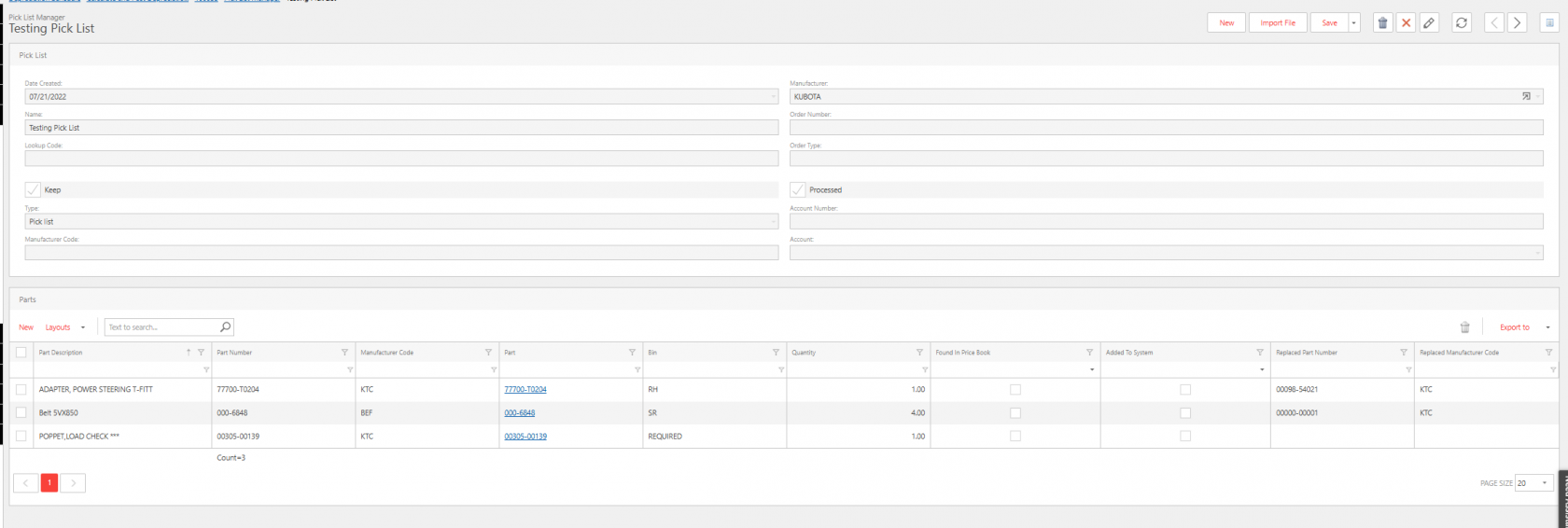
Screenshot of a Pick List Manager screen titled ‘Testing Pick List.’ The top section displays pick list details such as date created, manufacturer (Kubota), name, order number, type, lookup code, and account information, with checkboxes for ‘Keep’ and ‘Processed.’
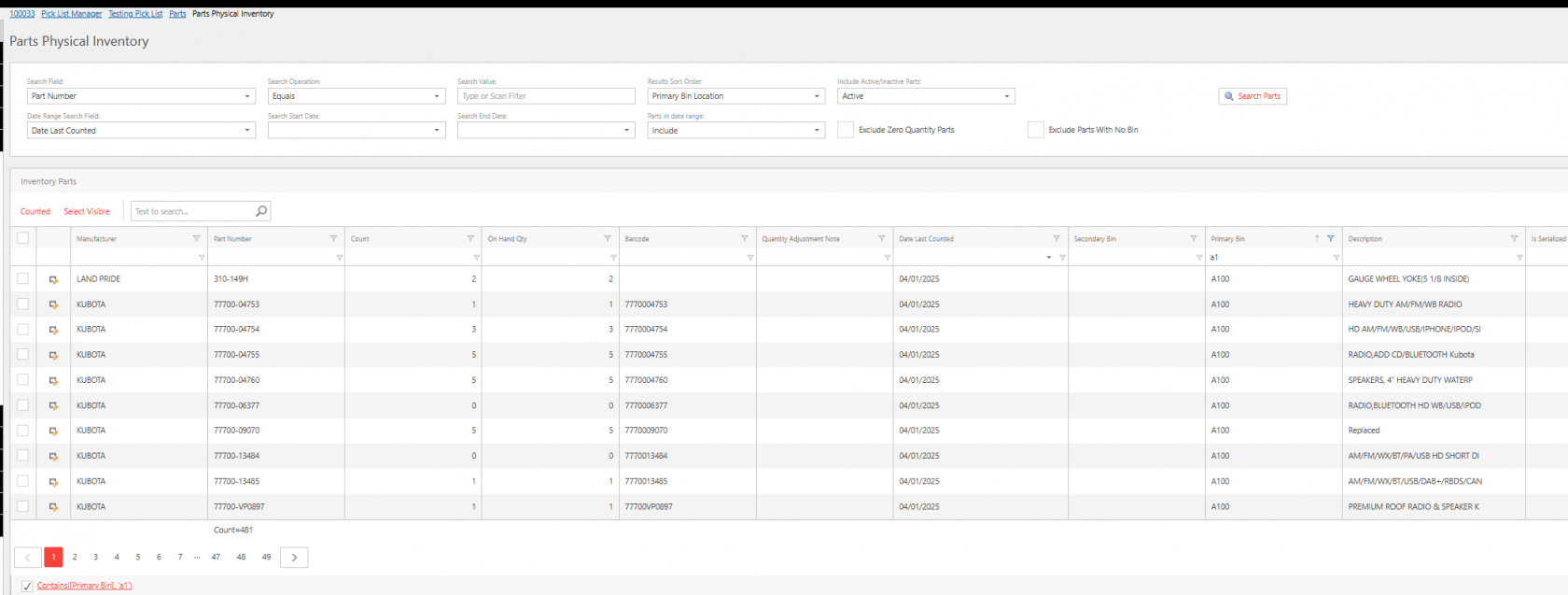
Screenshot of a Parts Physical Inventory screen displaying search and filter options at the top, including fields for part number, date last counted, sort order, and status (active/inactive)
01

Custom Picklists on the Go

Quickly create and manage custom parts picklists inside the Primus dealership management system, built for equipment dealerships. Equipment dealers can easily group parts for ordering, service jobs, or customer invoicing using one streamlined workflow.

This feature helps parts and service departments move faster, reduce errors, and keep orders and invoices fully connected within your equipment dealership management system, saving time at the counter and in the shop.

02

Instant Inventory Control for Your Dealership

Easily search and update your physical inventory with just a click or a tap—whether you’re at your desk or on the go with your mobile device.

03

Smart Pricebook Bank

Quickly build part files on the go by selecting from your pricebook bank. Simply choose the part you need from any manufacturer you carry to streamline ordering and invoicing.

Order Profiles & Sales History in One Place

Easily view and manage order profiles for stock orders while accessing past sales history on any part, with direct links to associated counter sales for faster insights and decision-making.

Customizable Parts Tabs

Primus parts tabs put the right information at your fingertips. From past purchases to current orders, users can see exactly what they need without digging—saving time and reducing effort.

Onboard to Primus

Take Primus for a spin

Schedule a demo or talk to a sales representative today.

open ipad with keyboard

Contact Us

During our normal business hours (7:30am - 5:30pm CT), our highly qualified team is available to assist you with any questions you may have.